THE DUO JOURNAL · OCTOBER 24, 2026
Free teleprompter for iPhone Duo: what do you actually need?
You can prepare a script, rehearse, record, trim, and export with Teleprompter Duo Free. The key distinction: Free exports include a watermark. Pro adds watermark-free output and advanced reading and editing tools.
Start with the essentials, not a subscription checklist.
A useful free teleprompter should let you test the complete process, not just view scrolling text. Can you bring in your script, find a comfortable pace, record a take, and get a usable video out? Teleprompter Duo Free covers that core path, with a watermark on exported videos.
On supported iPhone Duo configurations, you can read on the performer-facing screen while the rear main camera records. Check display availability and the selected camera in the app. Your recording format choices depend on the actual device and camera.
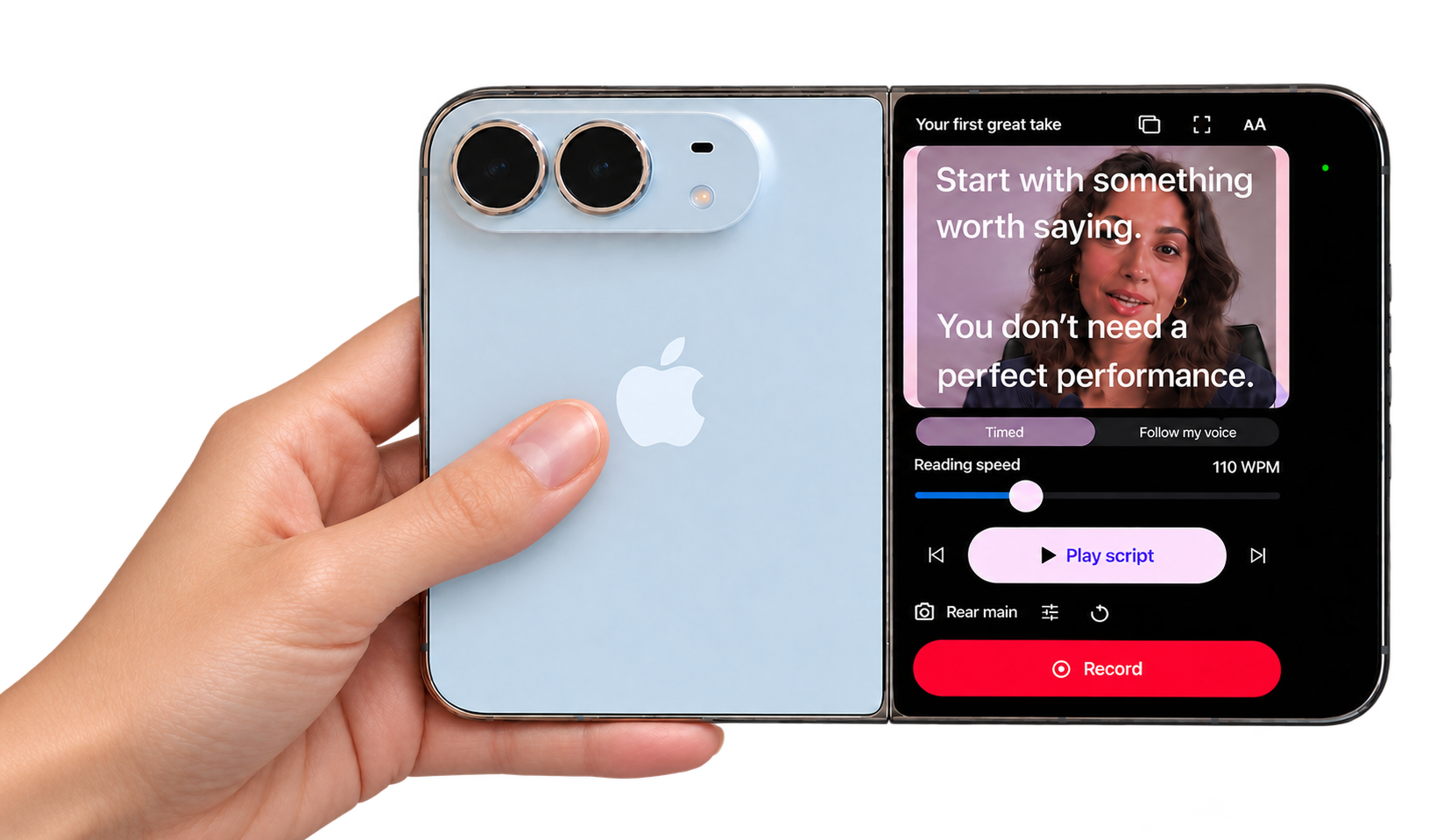
Teleprompter Duo Free vs Pro.
| Feature | Free | Pro |
|---|---|---|
| Write, paste, and import text scripts | Included | Included |
| Organize scripts and rehearse with timed scrolling | Included | Included |
| Record, review, and trim takes | Included | Included |
| Unlimited exports | With watermark | Without watermark |
| On-device voice following | Not included | Included where supported |
| Captions with corrections | Not included | Included where supported |
| Quiet-pause removal and speed adjustment | Not included | Included |
| Brand presets and video crops | Not included | Included |
Speech features require supported on-device recognition for the selected language. Camera and display capabilities depend on hardware and system version.
When Free is enough.
Start with Free if you are learning to speak from a script, testing the rear-camera reading setup, or making videos where a watermark is acceptable. Your first goal is consistency: readable words, comfortable delivery, and a recording you know how to review.
A subscription will not choose your lighting or make an unfamiliar script sound natural. Those improvements come from your setup and practice. Try the interactive reading demo, then use the Duo setup guide for your first recording.
When Pro earns its place.
Consider Pro when the watermark no longer fits your publishing needs, or when a particular tool solves a recurring problem. If your pace changes from line to line, supported voice following may suit your delivery. If captioning and removing quiet pauses are part of every video, the editing tools can become part of your finishing routine.
Keep the decision specific. “I need watermark-free exports for client videos” is a clearer reason to upgrade than “I might use every feature someday.” Read the current local purchase terms in the app and decide from your actual workflow.
What to check before paying for any teleprompter app.
- Export conditions: confirm watermarks, export access, and any limits in the current plan.
- Speech support: check your language and on-device recognition availability.
- Your recording format: verify the selected camera offers the format you need.
- Your content: understand where scripts, audio, and video are stored and processed.
- Renewal terms: read the billing period, local price, and cancellation details before purchase.
For a broader checklist and other documented Duo options, read best teleprompter for iPhone Duo: the buying guide.
How to test the free workflow.
Write a short introduction rather than a full video. Rehearse it at a comfortable scroll speed, record a take, and review your eye movement and sound. Trim the beginning and ending, then export to your preferred destination. Watch the exported file so you know what viewers will see, including the watermark.
Once that process feels comfortable, make a longer video. Change one thing at a time—text size, reading width, or pace—so you can tell what improves your delivery. Our eye-contact tips explain how lens proximity and short lines can help reduce visible reading movement.
Common questions about Free.
Can I read a script while recording for free?
Yes. Teleprompter Duo Free includes rehearsal, recording, and watermarked exports. Supported Duo configurations let the performer-facing screen show the script while the selected rear camera records.
Is a free trial the same as the Free plan?
No. Free includes script preparation, rehearsal, one completed recording, and watermarked exports. Pro uses weekly or annual auto-renewing subscriptions. No introductory subscription trial is currently offered.
Do I need Pro to write or import scripts?
No. Writing, pasting, importing plain-text scripts, and organizing your library are included in Free.
Where do I manage a subscription?
Use your Apple Account’s subscription settings to manage or cancel renewal. The app supports restoring purchases. See Teleprompter Duo support for the relevant troubleshooting steps.