CAPTURE THE DETAIL
Give your words
the picture they deserve.
Record with the rear main camera. Choose device-supported HD or 4K formats, check your framing in the live preview, and make every line look as good as it sounds.
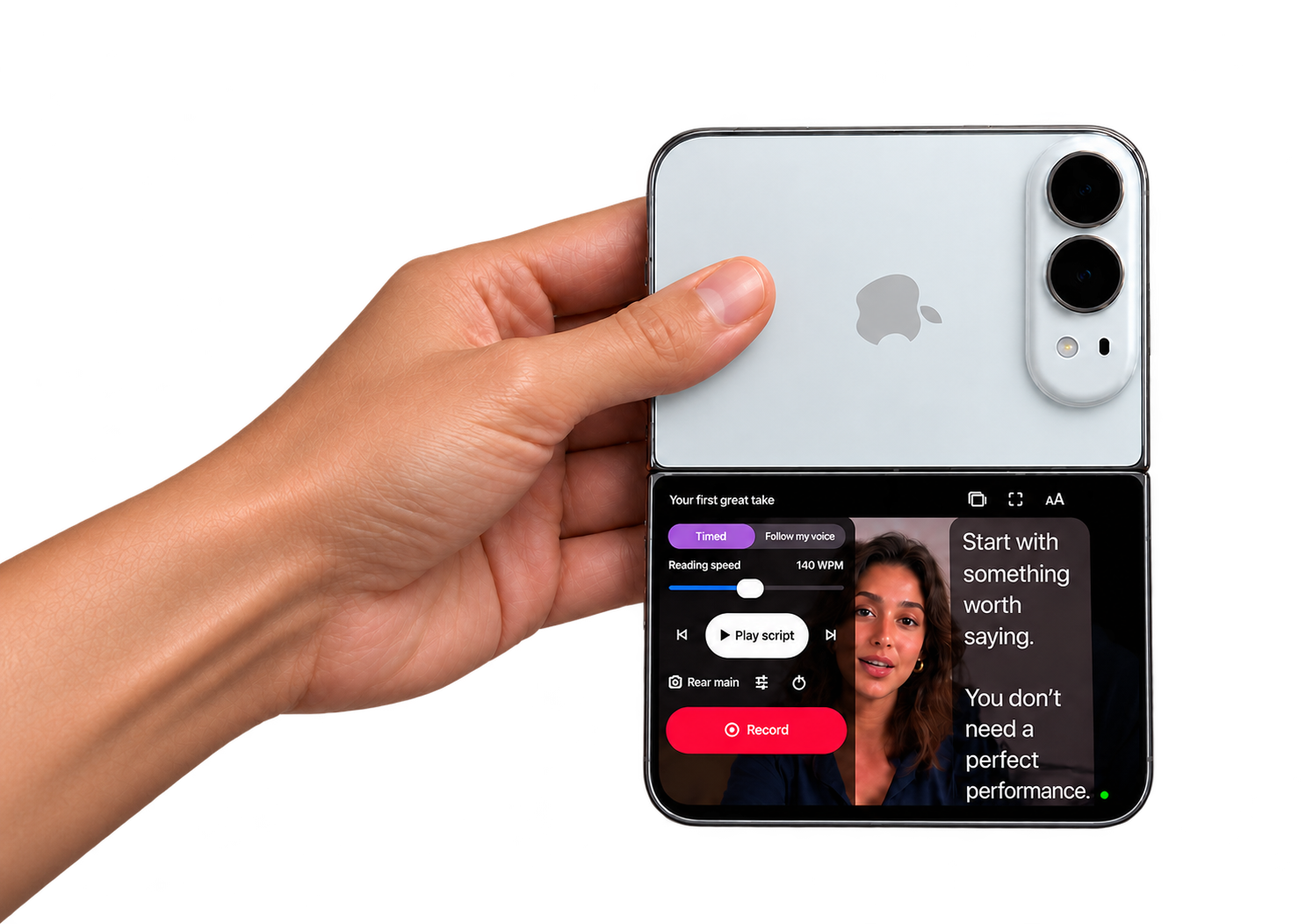
TELEPROMPTER DUO · MADE FOR IPHONE DUO
Record with the rear camera. Read right below it.
Look natural. Sound like you.
THE DUO DIFFERENCE
Your best take starts with a better setup. Teleprompter Duo brings your script to the same side as your rear camera, so you can use the camera you want and keep your words in view.
Turn your Duo to landscape. See your framing, follow your words, and keep recording controls in reach.
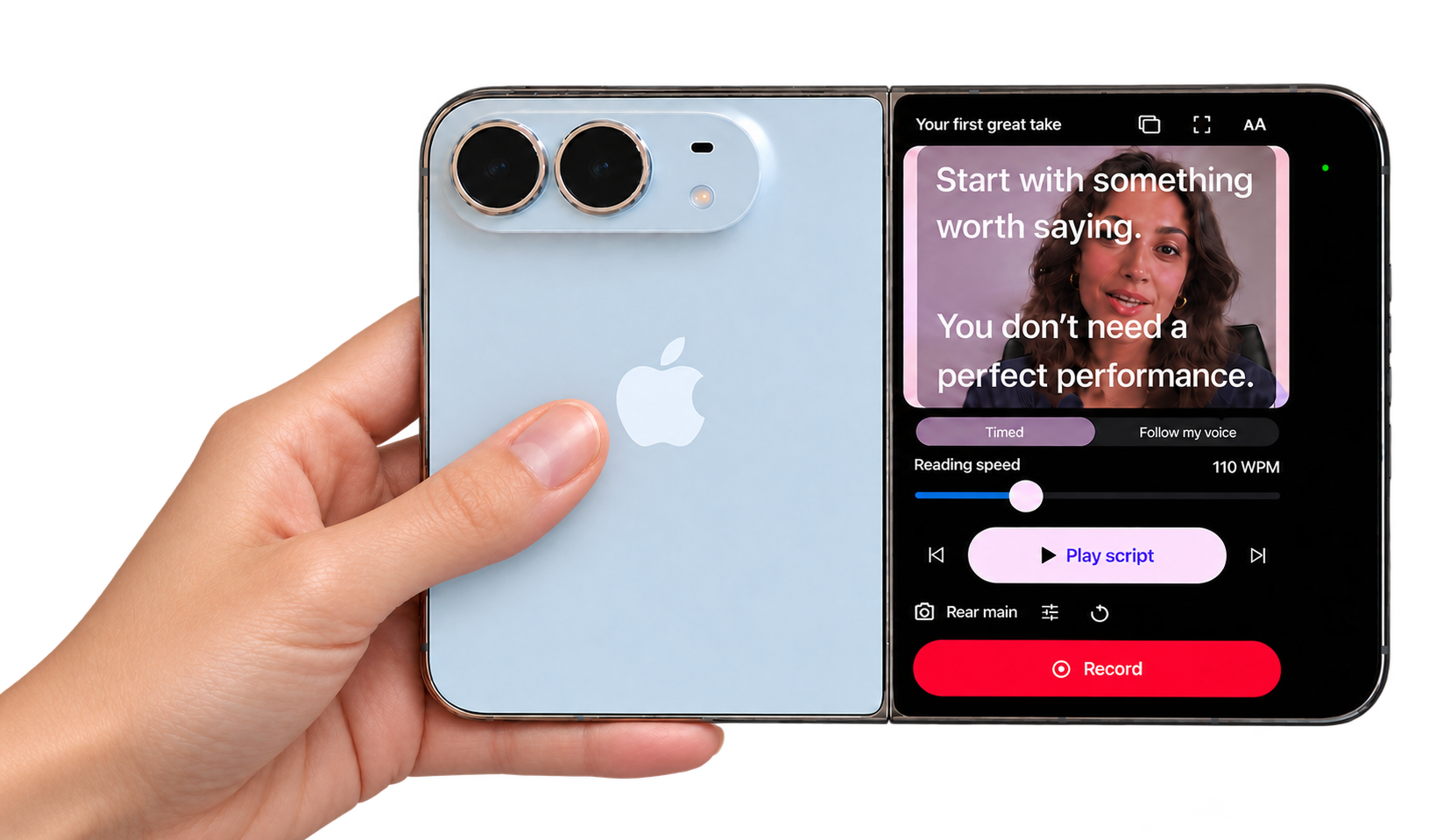
CAPTURE THE DETAIL
Record with the rear main camera. Choose device-supported HD or 4K formats, check your framing in the live preview, and make every line look as good as it sounds.
KEEP IT NATURAL
A lens-adjacent reading column helps reduce visible eye travel. Adjust your reading setup, find your pace, and speak with the confidence of knowing what comes next.
Eye contact depends on placement, reading distance, and text settings.
MADE FOR THE WAY YOU CREATE
A closer look at your script, preview, and recording controls. Everything you need, right where you need it.
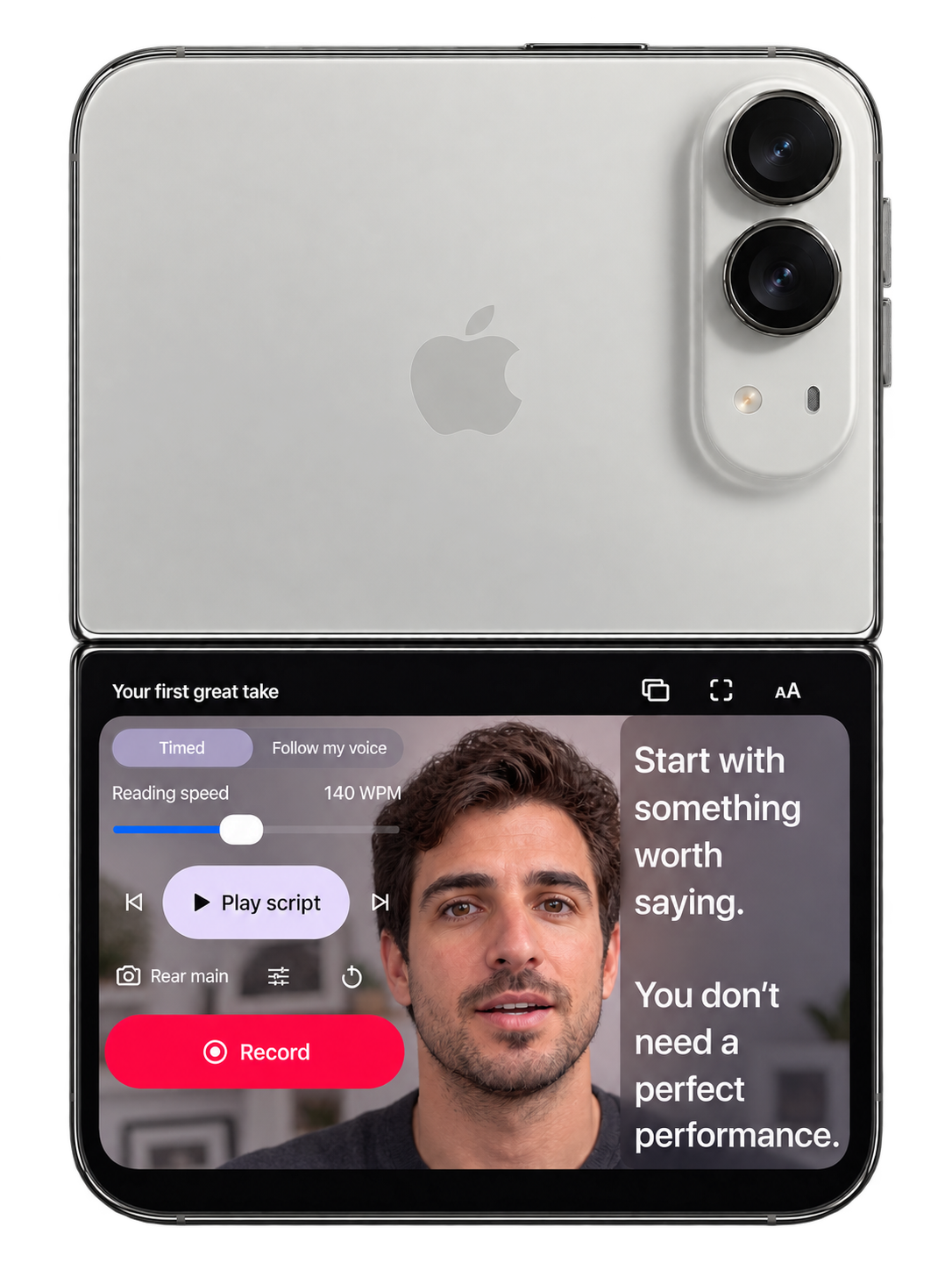
Your words. Right where you need them.
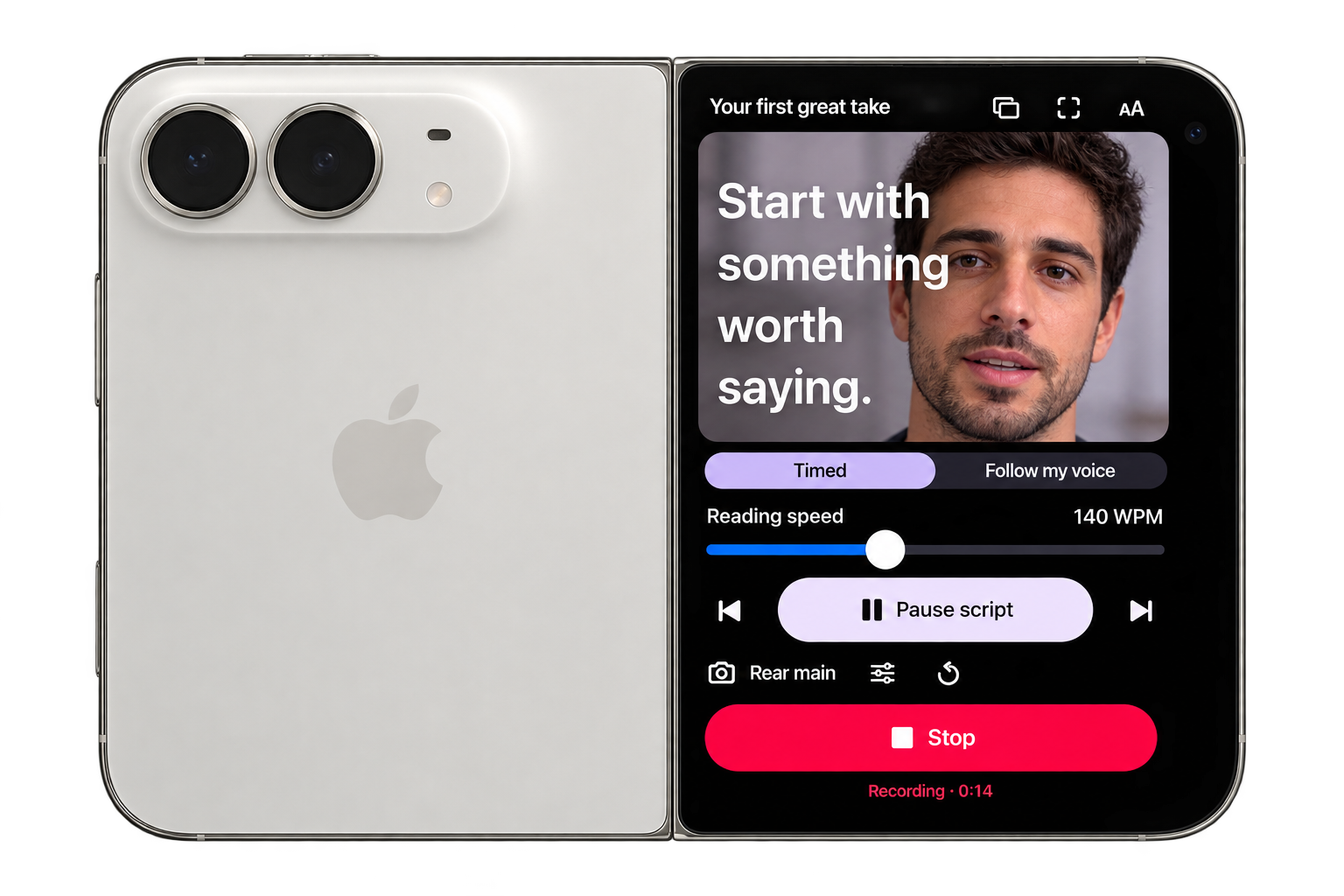
A natural delivery, whichever way you create.
FIND YOUR FLOW
Fast thought. Slow breath. Your delivery should feel like you. Try a little of the teleprompter experience right here.
Interactive website demo. No camera or microphone needed.
Demo ready.
FROM FIRST WORD TO FINAL TAKE
Write. Rehearse. Record. Refine. A complete teleprompter app for iPhone, with the Duo experience at its heart.
Keep scripts and takes in one native library. Search, organize, and open your next story.
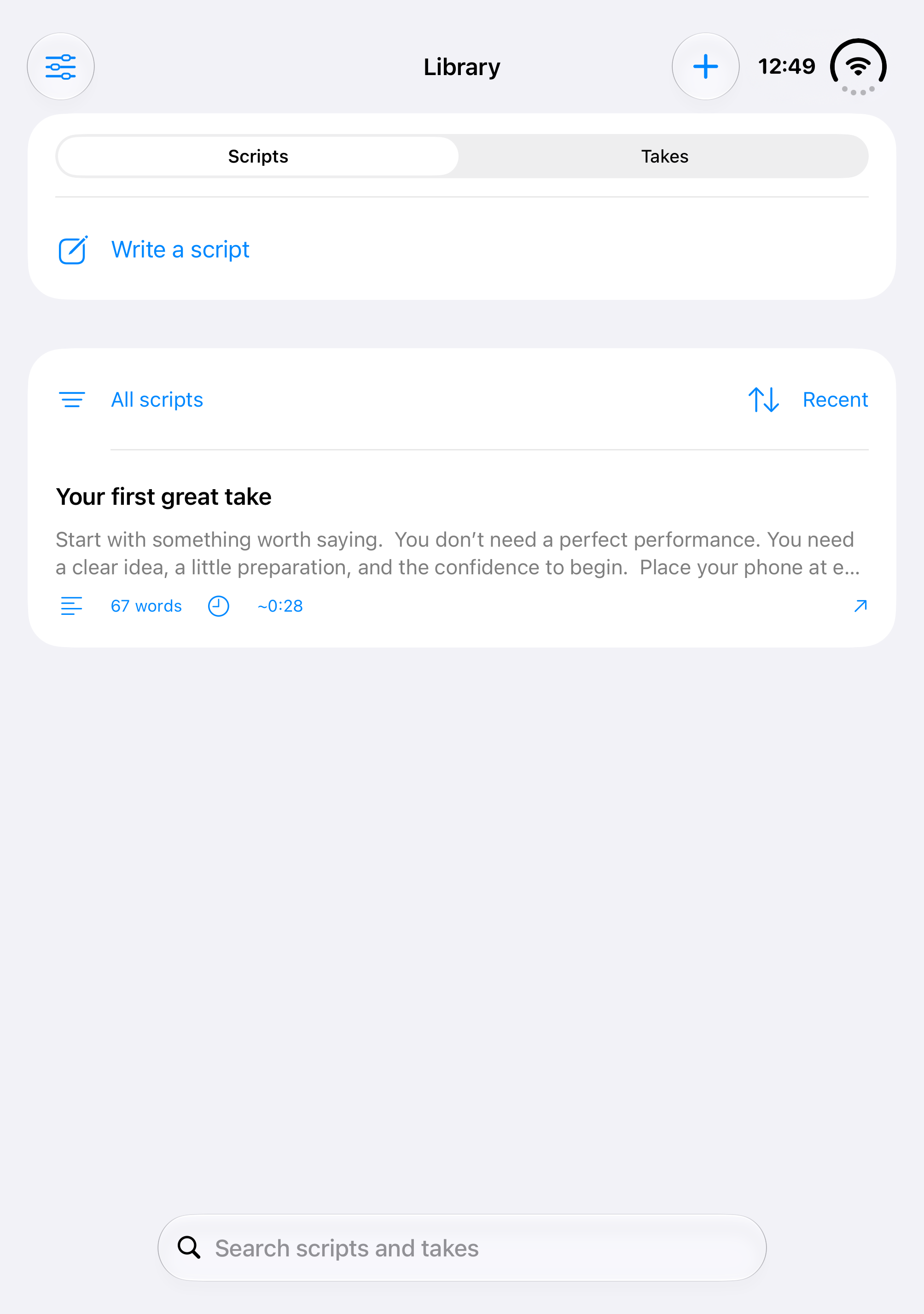
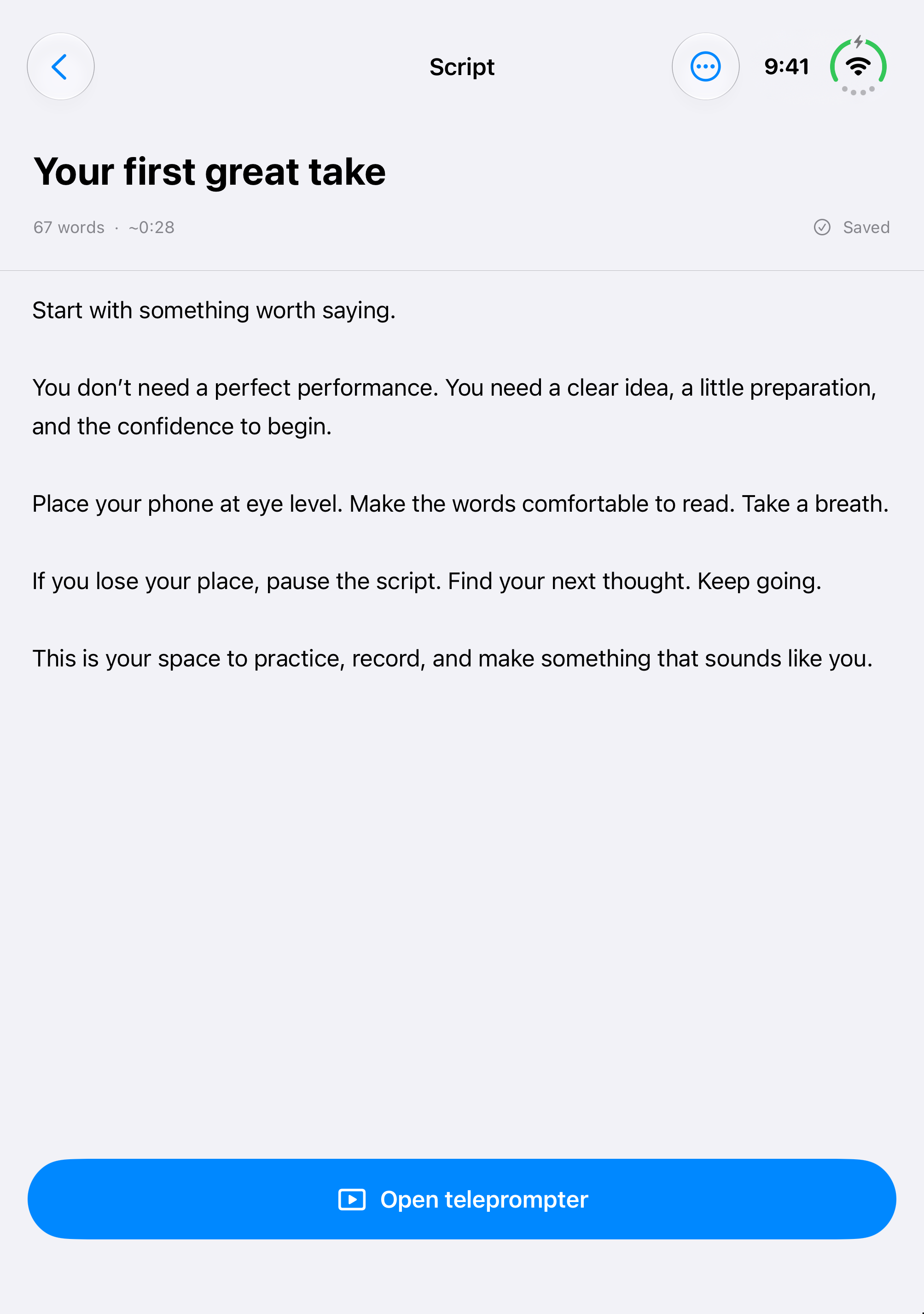
Write, paste, or import a script. Autosave keeps it ready; Open teleprompter takes you straight into your next take.
Choose timed scrolling or Pro voice following. Adjust your pace, play your script, and keep recording controls in reach.
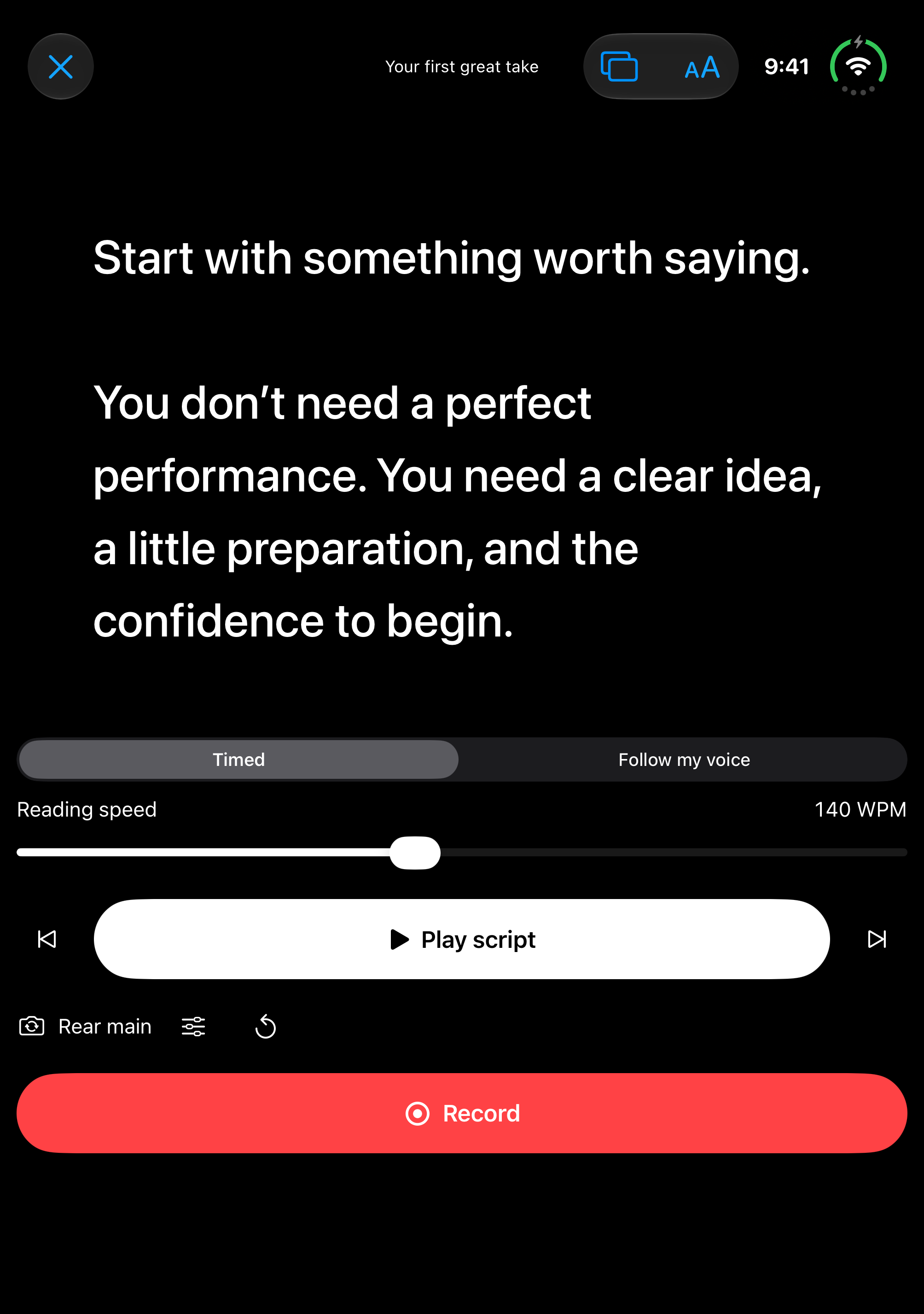
Actual app screenshots · Version 1.0, build 23 · iPhone Duo simulator. Reading screen shown with live camera preview turned off.
Pro voice following keeps the script moving with your speech, using supported on-device recognition.
Trim your takes. Go further with Pro captions, quiet-pause removal, speed controls, and brand presets.
Save to Photos or Files. Share through your favorite apps. Pro crops fit vertical, square, and widescreen video.
A LITTLE PREPARATION. A LOT MORE YOU.
ROOM TO START. ROOM TO GROW.
Start with the essentials. Go Pro when your workflow needs more.
Everything you need to find your voice on camera.
Advanced tools for the videos you’re ready to share.
Weekly and annual subscriptions. One completed recording is free. Pro unlocks unlimited recordings. Current local prices and renewal terms appear in the app before purchase. No introductory trial is offered. Speech features depend on on-device language support.
YOUR STORY STAYS YOURS
Scripts and takes stay local. Supported voice following and caption transcription happen on device. No account required.
Read our privacy policyA BETTER TAKE STARTS HERE
Choosing your setup? Read our best teleprompter for iPhone Duo buying guide or compare Free vs Pro.
GOOD QUESTIONS
Teleprompter Duo is an iPhone teleprompter and video recording app designed around the iPhone Duo experience. Read a scrolling script near the rear camera, record your delivery, and review and edit your takes in the same app.
Yes. On supported iPhone Duo configurations, the performer-facing display shows your script and live preview while the rear main camera records. Position the phone with the camera above the reading screen, open the teleprompter, and enable the outer reading display when available.
Placing a narrow script close to the lens reduces the distance your eyes travel as you read. Keep the phone at eye level and rehearse at a comfortable pace. Eye movement depends on your text size, distance, and physical setup; perfect eye contact is not guaranteed.
The free app includes script writing and importing, rehearsal, recording, trimming, and unlimited watermarked exports. Pro adds watermark-free exports, on-device voice following, captions, pause removal, speed adjustment, and brand presets. Subscription availability and current prices appear in the app.
The app offers 1080p or 4K and 30 or 60 fps when supported by the selected camera and device. Available recording formats are shown in the app. Not every camera supports every combination.
Scripts and takes are stored locally by the app. Supported speech following and caption transcription run on device. The developer does not receive your scripts, audio, or video. Exporting to Photos, Files, or another app sends content only to the destination you choose.
TELEPROMPTER DUO FOR IPHONE
Rear-camera quality. Your words in view.
Your next great take starts with you.
Availability depends on release status and your region.
If the listing is not yet available, check back after launch.